Uro’s Hub Grow A Garden (Rayfield UI)
36 views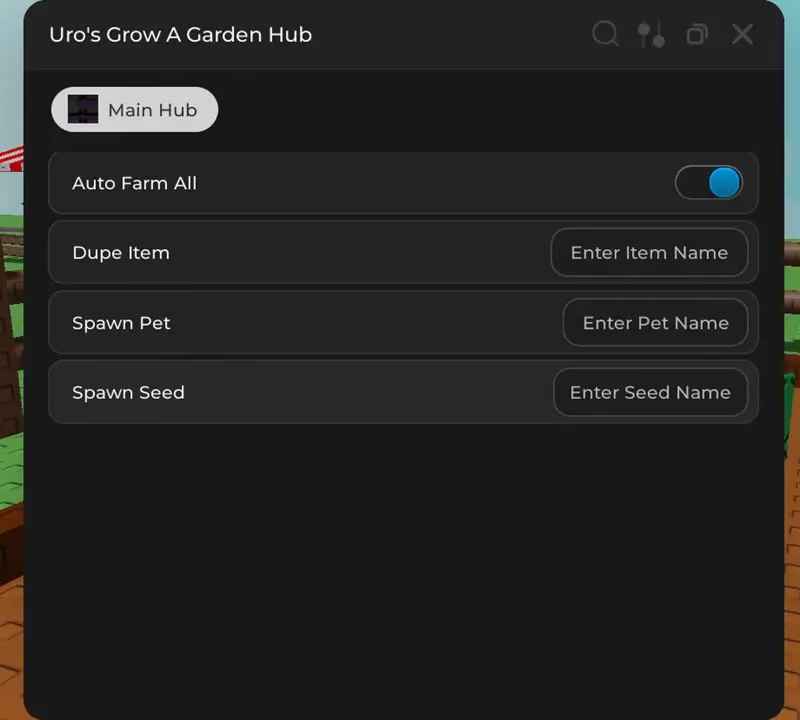

Description
Uro’s Hub Grow A Garden (Rayfield UI) | No Key is a highly effective and user-friendly Roblox script that can help automate the process of farming for you. Thanks to the presence of the Rayfield UI and functions such as Auto Farm All, duplications, and spawning pets/seeds, it helps farmers progress easily within the game. As there is no need for a key and the hub supports mobiles too, this Roblox hack is quite helpful indeed.
Features
Compatible Executors
Script
local Rayfield = loadstring(game:HttpGet('https://[Log in to view URL]'))() Rayfield:Notify({ Title = "Notification!", Content = "FOLLOW MY TIKTOK @eroexy", Duration = 2.5, Image = nil, }) local Window = Rayfield:CreateWindow({ Name = "uro's GAG script", Icon = 0, -- Icon in Topbar. Can use Lucide Icons (string) or Roblox Image (number). 0 to use no icon (default). LoadingTitle = "Grow a Garden", LoadingSubtitle = "by uro", Theme = "Default", -- Check https://[Log in to view URL] DisableRayfieldPrompts = false, DisableBuildWarnings = false, -- Prevents Rayfield from warning when the script has a version mismatch with the interface ConfigurationSaving = { Enabled = true, FolderName = nil, -- Create a custom folder for your hub/game FileName = "uro's hub" }, Discord = { Enabled = false, -- Prompt the user to join your Discord server if their executor supports it Invite = "noinvitelink", -- The Discord invite code, do not include discord.gg/. E.g. discord.gg/ ABCD would be ABCD RememberJoins = true -- Set this to false to make them join the discord every time they load it up }, KeySystem = true, -- Set this to true to use our key system KeySettings = { Title = "Get the key pal", Subtitle = "Key System", Note = "Don't download anything", -- Use this to tell the user how to get a key FileName = "uro's key", -- It is recommended to use something unique as other scripts using Rayfield may overwrite your key file SaveKey = true, -- The user's key will be saved, but if you change the key, they will be unable to use your script GrabKeyFromSite = true, -- If this is true, set Key below to the RAW site you would like Rayfield to get the key from Key = {"https://[Log in to view URL]"} -- List of keys that will be accepted by the system, can be RAW file links (pastebin, github etc) or simple strings ("hello","key22") } }) local Tab = Window:CreateTab("Farm 🥕", nil) -- Title, Image local Button = Tab:CreateButton({ Name = "auto farm", Callback = function() -- The function that takes place when the button is pressed end, }) local Button = Tab:CreateButton({ Name = "auto plant", Callback = function() -- The function that takes place when the button is pressed end, })Comments (0)

No comments yet. Be the first!